Cart widgets
In-cart upsell
The In-Cart Upsell renders inside the cart — page or drawer — under the line items. It's less aggressive than a popup but visible to every cart visitor, so the lift compounds quickly even with modest per-session conversion.
Layouts
Three layouts, switched on the Design tab: Carousel (default), Stack and Grid.
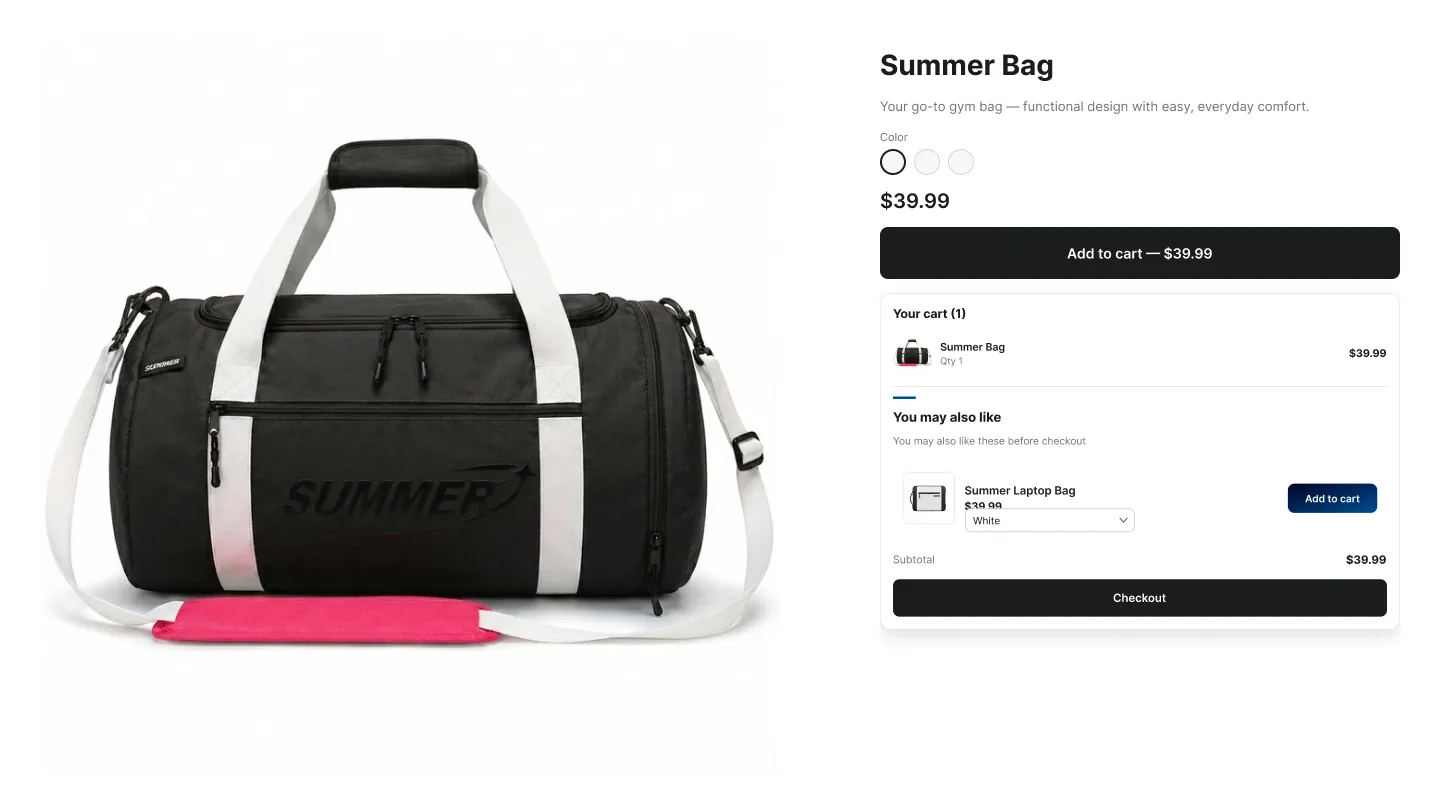
How to create an In-Cart Upsell campaign
In the Summer Upsell admin
- 1 Click Create Campaign → under Cart Page pick In-Cart Upsell.
- 2 Offer name (e.g. Cart — Coffee accessories).
- 3 Trigger: Any cart (shows for every cart), Specific products (default — only when one of the selected products is in the cart) or Specific collections.
- 4 Product source: Specific products, Automated recommendations or Summer AI powered by ChatGPT.
- 5 Pick the offer products.
- 6 Optional: enable the discount.
- 7 Design tab: layout, template, Title (default You might also like), Subtitle, Button Text (default Add).
- 8 Click Publish. The Test campaign in store checklist runs (campaign active, products available, app embed enabled, widget block added) — fix anything red, then click Publish campaign.
In the Shopify theme editor
- 1 Open Online Store → Themes → Customize.
- 2 Switch to the Cart template.
- 3 Click Add block under the cart line items section.
- 4 Pick ✨ Summer: In-Cart Upsell from the Apps section.
- 5 Click Save. On most themes the widget also places itself under the items in the cart drawer automatically.
Design tab
Every campaign opens on the Offer tab. The Design tab next to it controls how the widget looks on the storefront. The same set of controls is reused across nearly every widget type, so once you learn it on one campaign the rest are familiar. A live preview on the right updates as you change settings — switch it between desktop, mobile and full size.
Tip: Click any template to seed every color at once, then nudge the individual swatches. Faster than building a palette from scratch.
Language tab
The Language tab holds the storefront copy for the widget. The Default language block is always there; click Add another language to add any locale your Shopify store has published and translate the title, button text and other storefront strings for it. Default text is pre-filled in English, Spanish, French, Arabic, Turkish and German. A locale you don't add falls back to the default language.
Where it shows
- The cart page, where you add the block.
- The cart drawer on most Online Store 2.0 themes — the widget detects the drawer's line-item list and renders under it.